Document review
Catch problems before they’re in the manual
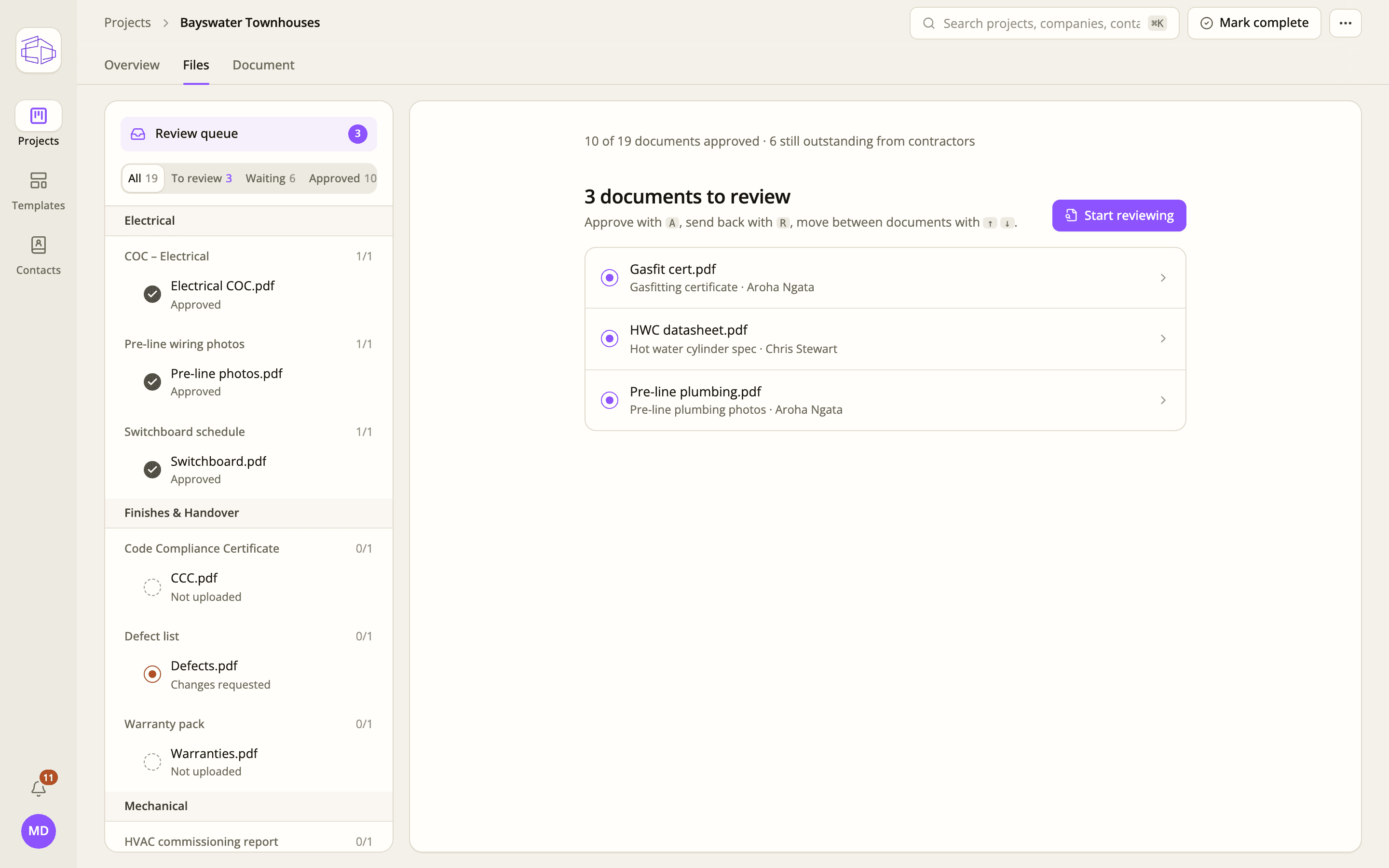
Work through a review queue. Approve, or send a document back with a note — the trade sees it straight away.
Construction handover & O&M manuals
Collect, review and manage O&M documentation throughout your project — so your handover manual is ready when PC arrives.
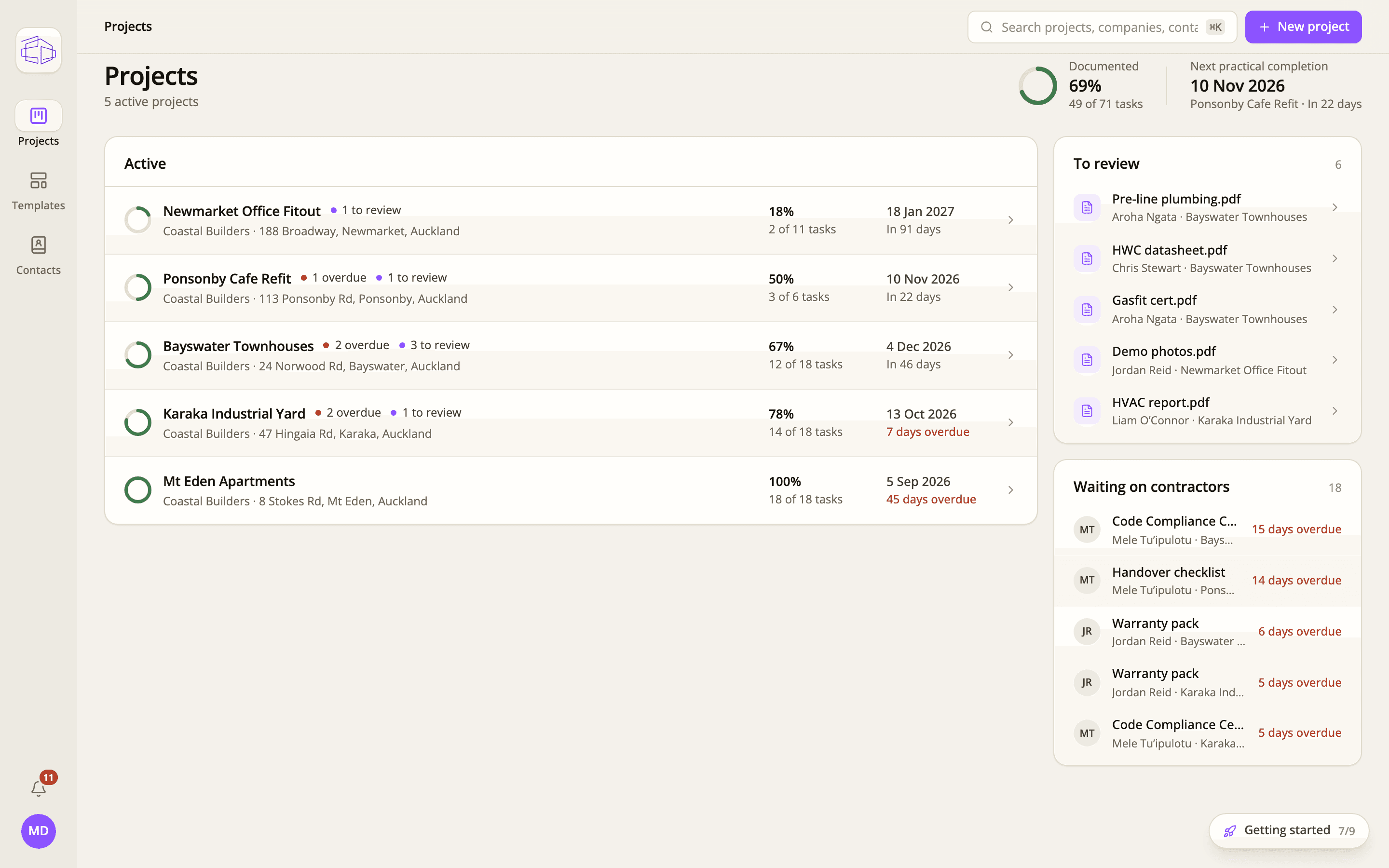
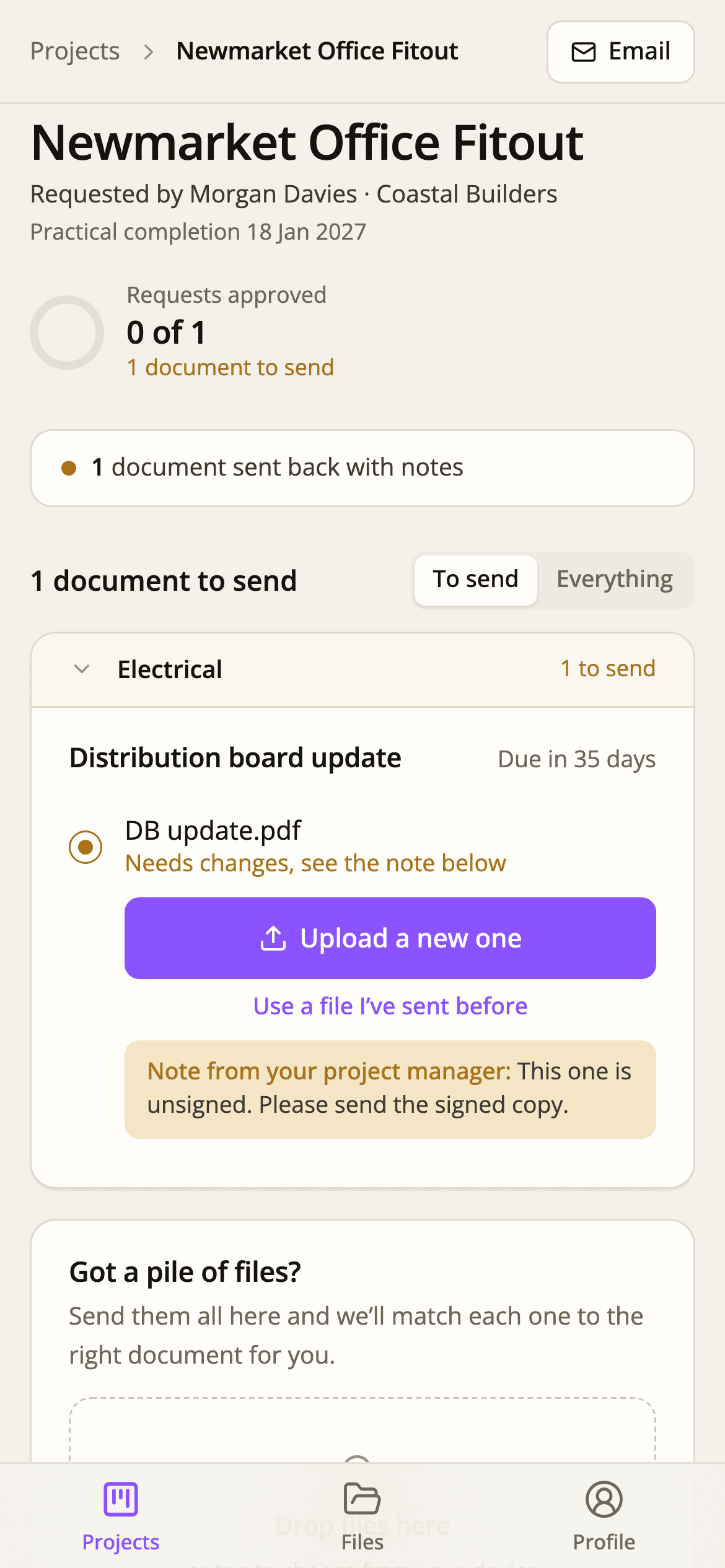
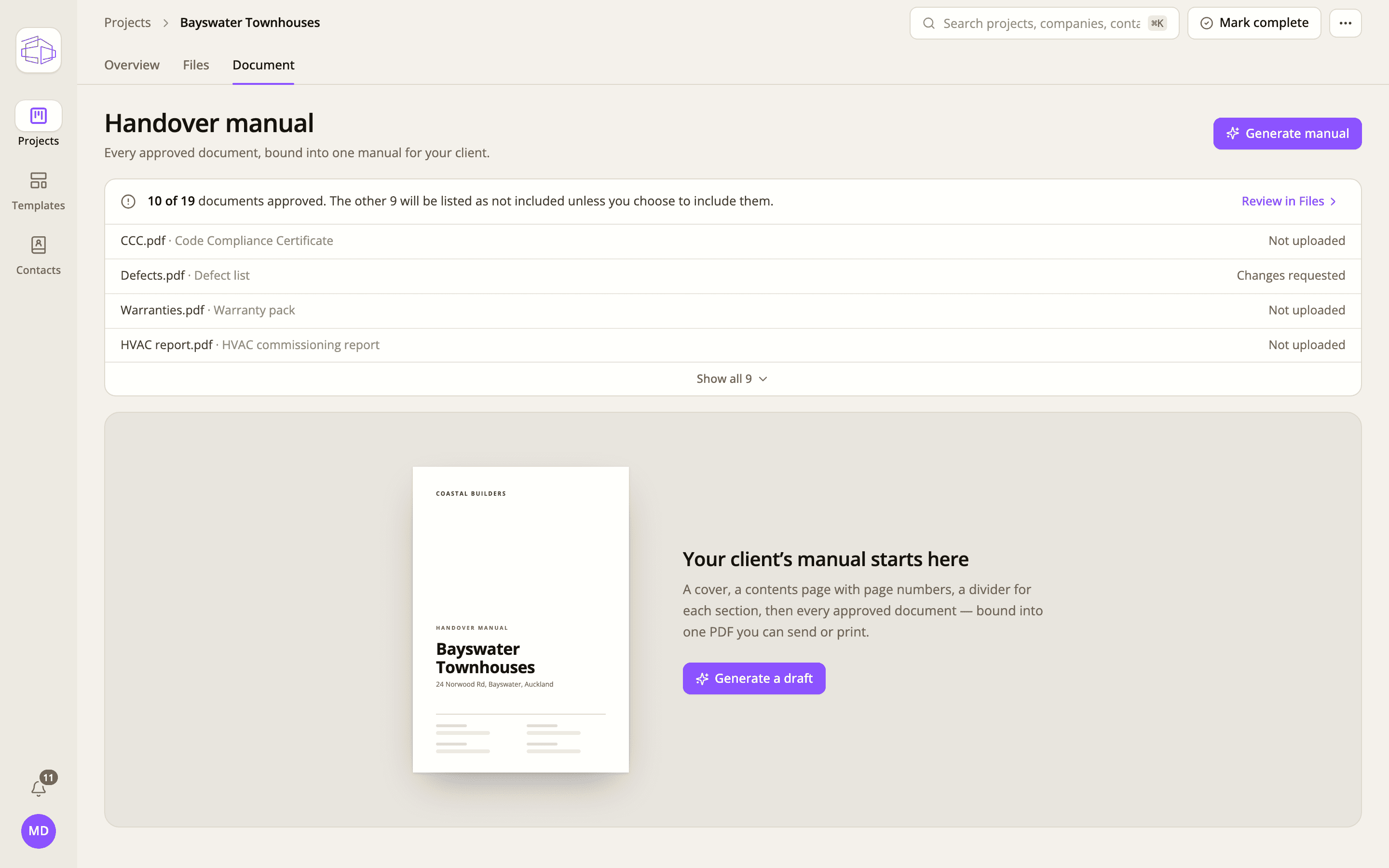
Left: what the project manager sees. Right: what a trade sees on their phone.
The problem
The documents aren’t the hard part. Getting hundreds of them from dozens of trades and suppliers, checking each one, and knowing what’s still missing is. Left until the end, it becomes the last thing standing between you and PC.
See how bomm fixes itWarranties, certificates, manuals and compliance docs that should have arrived months ago.
The same request sent to the same trade three times, with the answers buried in different threads.
A list of what you need is useful. It doesn’t ask, chase, review or file anything.
Unsigned, outdated, the wrong format or for the wrong trade. Received isn’t the same as right.
A folder tells you what you have. It doesn’t tell you what you’re missing.
Someone builds the manual by hand while everyone else is closing out defects.
How it works
Don’t build the O&M manual at practical completion. Build it throughout the project, one document at a time, as each trade finishes their work.
Start from a template for the job type. Every document you need is listed and assigned to the trade or supplier who owes it, with a due date.
Each trade gets a link to their own list and uploads from a phone or a desk. Reminders go out before and after each due date, so you don’t have to.
Approve a document, or send it back with a note saying what to fix. Overdue and outstanding items stay in plain sight.
At PC, bind every approved document into one indexed PDF with a cover and contents page — or a structured ZIP.
For project managers and contract admins
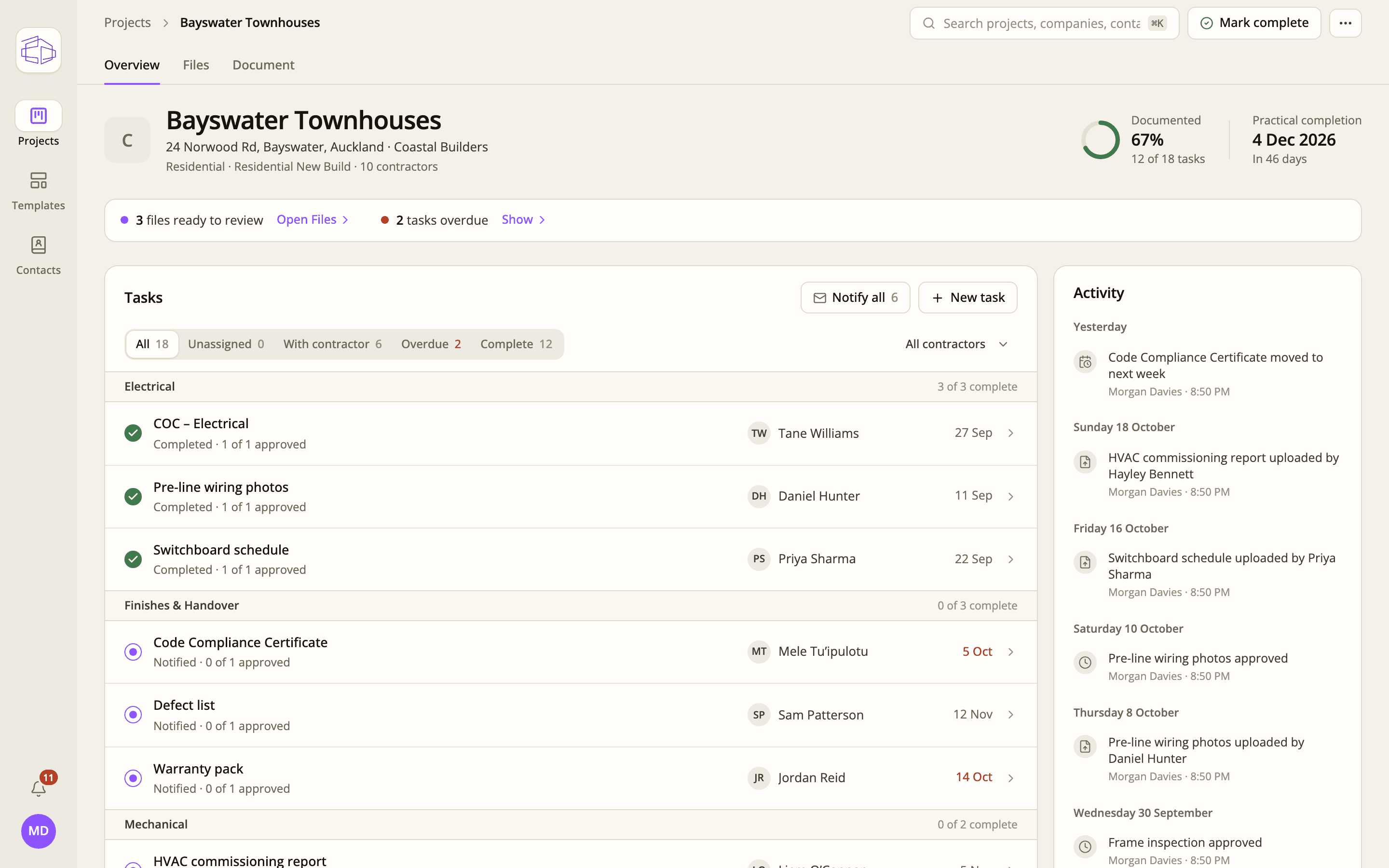
Know what’s outstanding before it becomes a PC problem. Each project shows how much is documented, how long until PC, and exactly where the gaps are.
Construction managers and directors: one template per job type means every PM runs handover the same way, and you can see every project’s status on one screen.
For subcontractors and suppliers
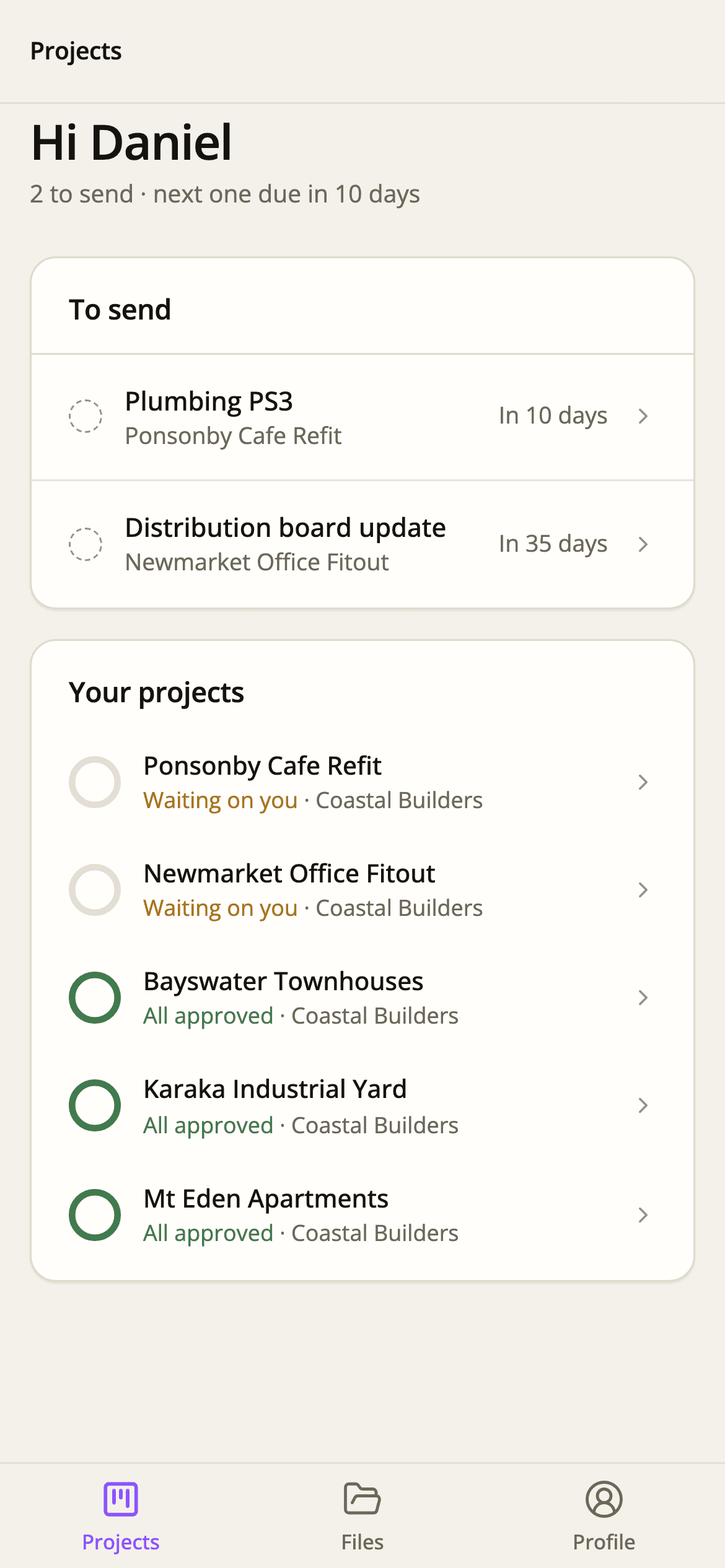
Your trades don’t want another system to learn, and they don’t need one. They see exactly what you need from them, when it’s due, and a button to send it.
Your request email takes them straight to their list. No app to download, nothing to buy.
Built for a phone on site. Big buttons, plain words, and a progress bar they can see.
If a document isn’t right, your note sits right under it. No phone tag.
Automatic emails three, two and one week out, on the day, and once it’s overdue.
Built for handover, not adapted to it
You don’t need somewhere else to store documents. You need the bit in between: who owes what, what’s arrived, whether it’s right, and what’s left.
Document review
Work through a review queue. Approve, or send a document back with a note — the trade sees it straight away.
Manual generation
Cover, contents page with page numbers, a divider for each section, then every approved document — in one PDF, or a structured ZIP.
Start every job with a repeatable process. Australian starter templates included, or bring your own.
Everyone knows exactly what they need to provide, and you know who owes what.
Gaps show up weeks before PC, while the people who can fix them are still on the job.
Follow-ups go out on a schedule, so chasing stops being someone’s job.
Submitting is easy enough that trades actually do it.
Got a pile of files? Drop them in together and each one is matched to the right requirement for you to confirm.
The outcome
Your team spends the last weeks closing out defects and handing over to the client — not hunting for a warranty from a trade who left site in March.
Make handover boring.
ChasingManaging
The system asks and reminds. You make the calls that need a person.
ScatteredStructured
Every document filed against the requirement it meets, not lost in a thread.
Last-minuteProgressive
The manual builds itself across the job instead of in the final fortnight.
UncertaintyVisibility
You know what you’ve got and what’s missing, any day of the project.
Your first project
The hardest part of new software is setting it up. So we do that part. You see bomm working on a real job, without configuring anything yourself.
Tell us about the job
A few lines below is plenty.
We set it up with you
A short call to agree the requirements and trades.
Your trades get their links
Documents start arriving while the job is still running.
Or email hello@bommanuals.com